UI/UX improvements in Mollymawk
2026-05-20Recently, we've upgraded Mollymawk, our MirageOS unikernel management tool, with a fresh coat of paint and a number of quality-of-life improvements. Some of these improvements were guided by a UX audit performed by Miroslav Damyanov, a UX researcher from Commons Caretakers and also from issues reported to us by some of our users.
What's New?
Mollymawk is designed to be a straightforward interface for managing Albatross instances and MirageOS unikernels. Here are some of the key improvements we've been working on:
1. A simpler deployment workflow
Prior to mollymawk, the way to deploy unikernels was with shell scripts. Today, mollymawk provides a very simple form to deploy these unikernels.
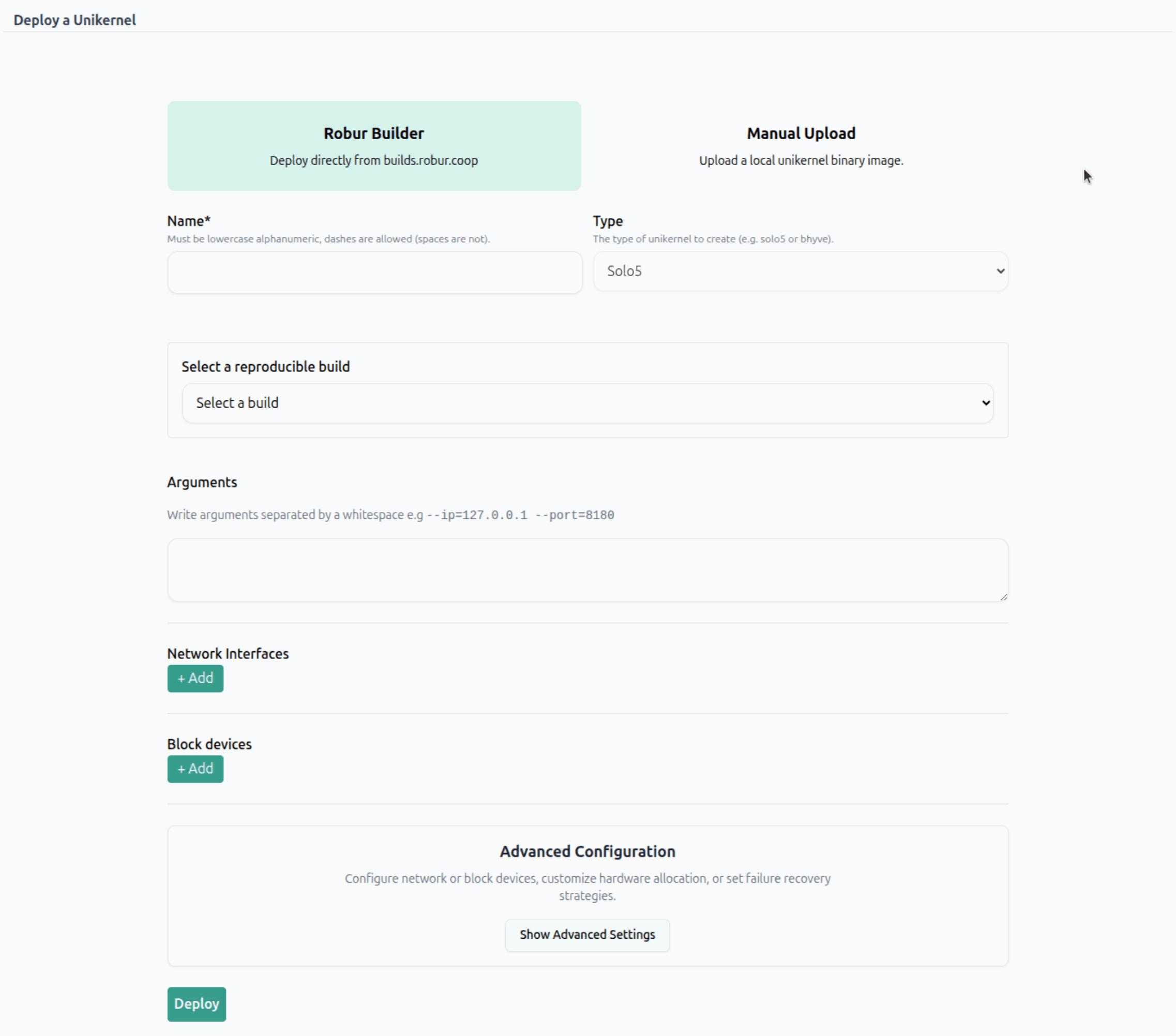
With our reproducible builds platform, builds.robur.coop, you can deploy unikernels just by selecting which vm you want in the dropdown menu, without needing to first download a binary file and then uploading it to Mollymawk. Instead, mollymawk is able to fetch the binary file directly from our reproducible builds platform. Mollymawk is also able to figure out automatically what network/block devices your unikernel needs, and auto-selects them for you.
You now only provide the minimal necessary information and everything else, such as configuring which CPU ID to deploy on, or how much RAM your unikernel should get is taken care of by mollymawk!
Mollymawk assigns sane default values for these parameters, for example, mollymawk will always select the CPU with the lowest load to deploy your vm on. You also have the option to configure these parameters yourself, by clicking on the Advanced Configuration button.
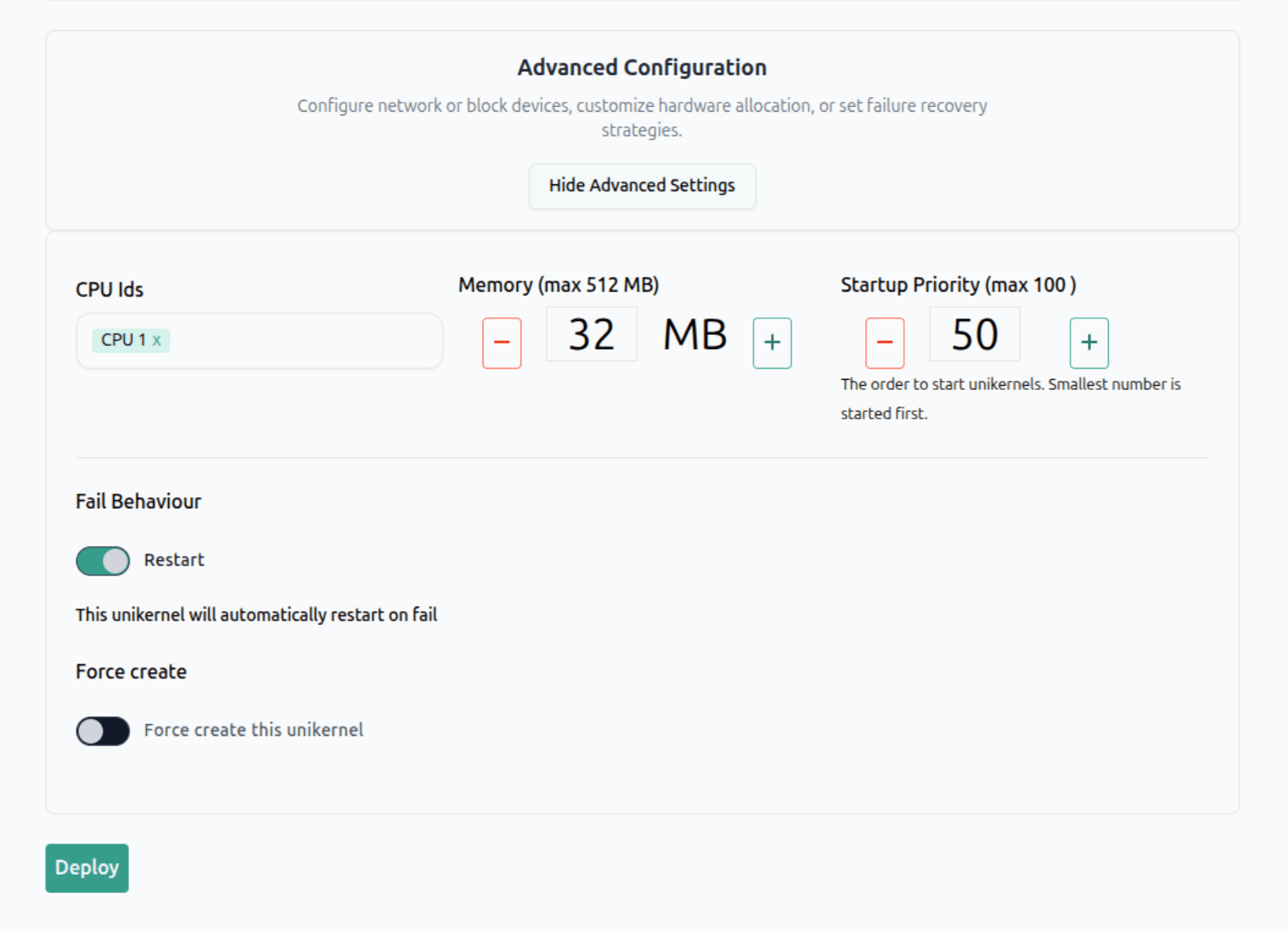
The manual upload mode is still supported, particularly for users who want to deploy custom unikernels.
2. Console output of deceased unikernels
It's now possible to view the console output of unikernels that are no longer running.
Last year, we had a case where a user reported that their deployed unikernel basically dissapeared from their dashboard with no trace of what happened. There was no way for the user to view the console output of this unikernel. This made debugging an impossible task. The issue was reported here: issue and another issue was also opened, reporting the same behaviour.
To solve this, we modified both Albatross and Mollymawk;
-
On the Albatross side, a new command,
Console_list_inactive, was introduced in this commit. This command queries Albatross to list unikernels that are currently not running, but still have their console output available in a ring buffer. A ring buffer is a fixed-size buffer that is used to store console outputs; when the buffer is full, the oldest console outputs are overwritten by the newest ones. -
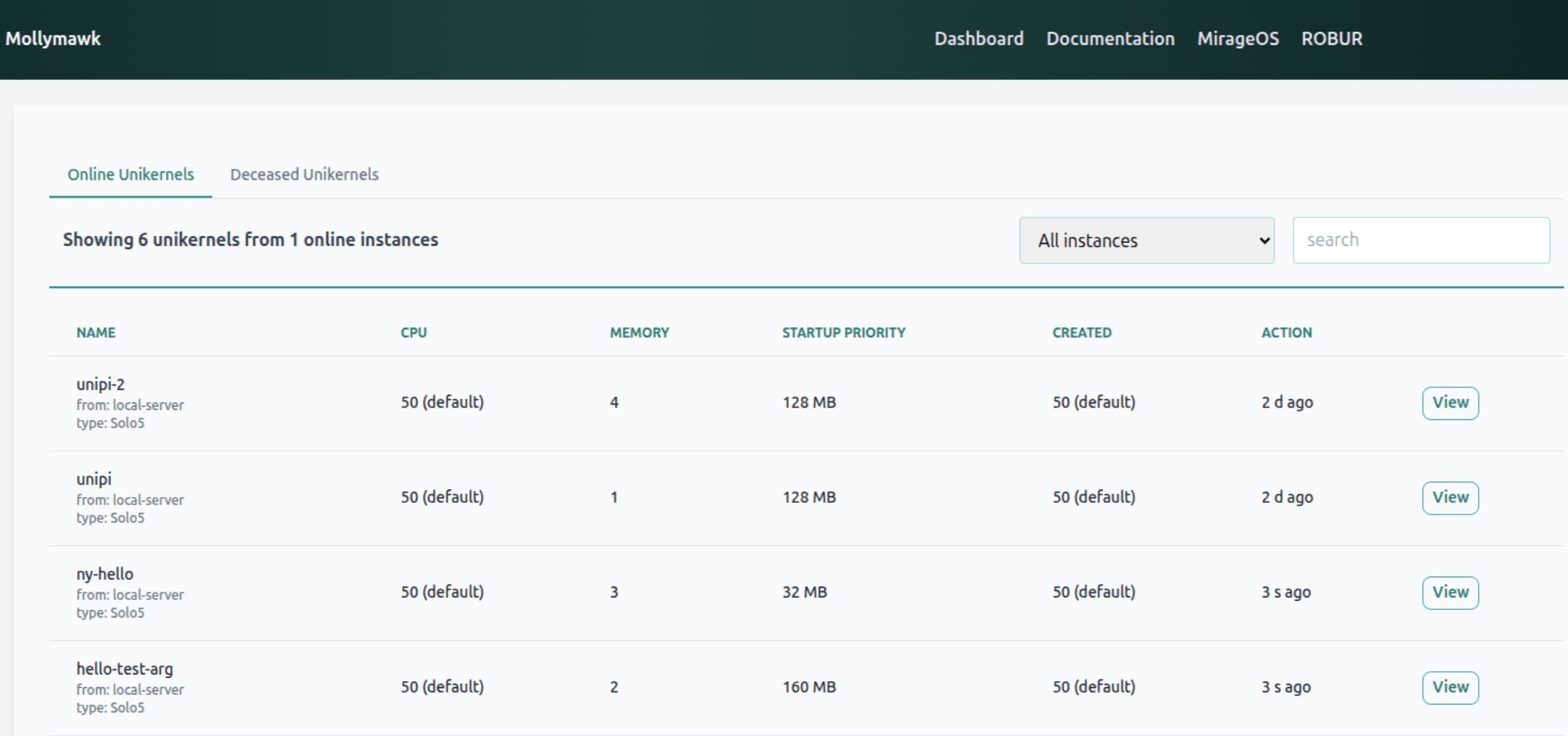
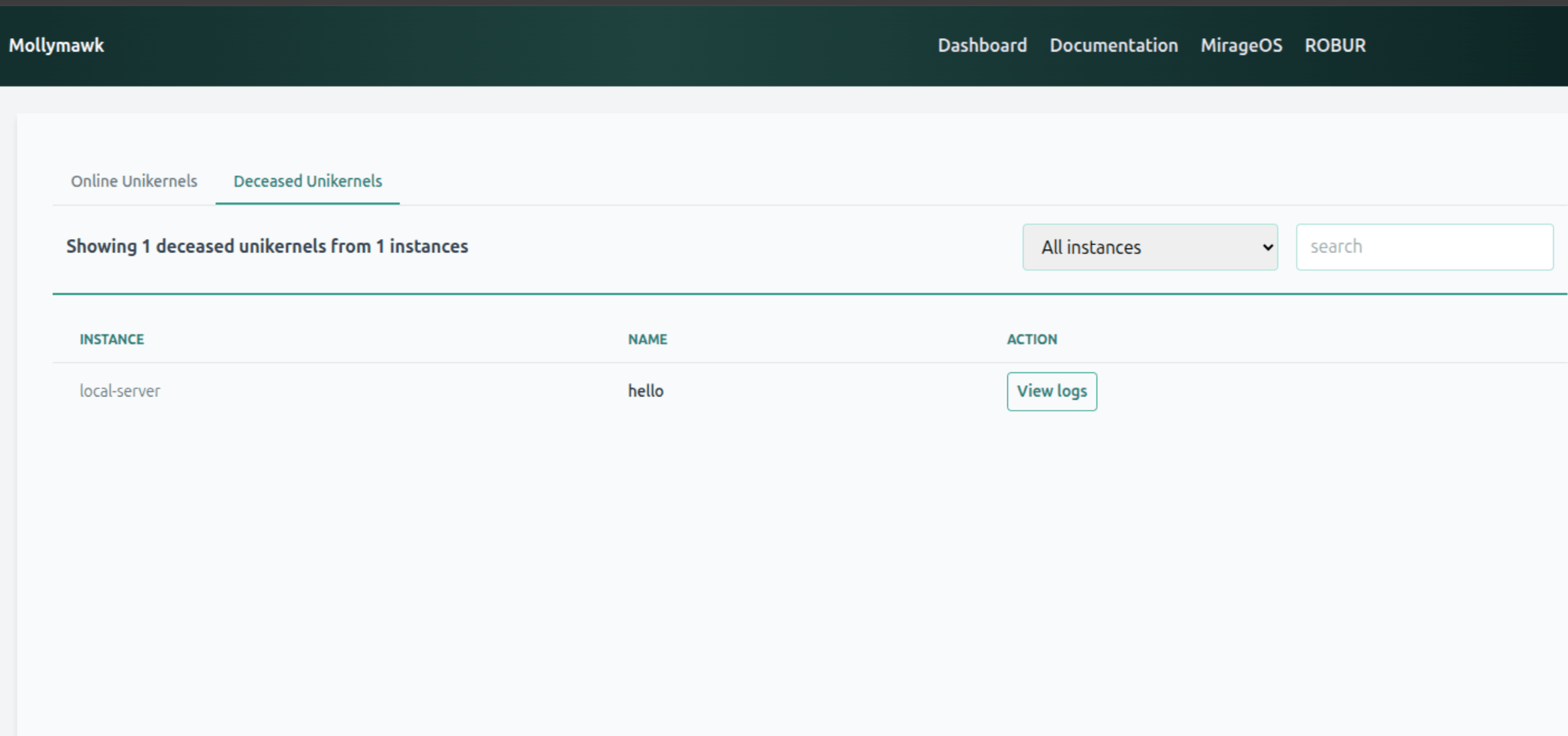
Next, on Mollymawk, we upgraded the dashboard to make use of this new albatross command. In Mollymawk PR #222, we organized the user's dashboard into two distinct tabs:
-
One for online unikernels.
-
One for deceased unikernels.
-
This organizes the unikernels based on their current state, making it easier to find the unikernels one is looking for.
From the deceased unikernels tab, users can view all their unikernels that are no longer running. By clicking "view logs", they get access to the final console output.
3. Better UI
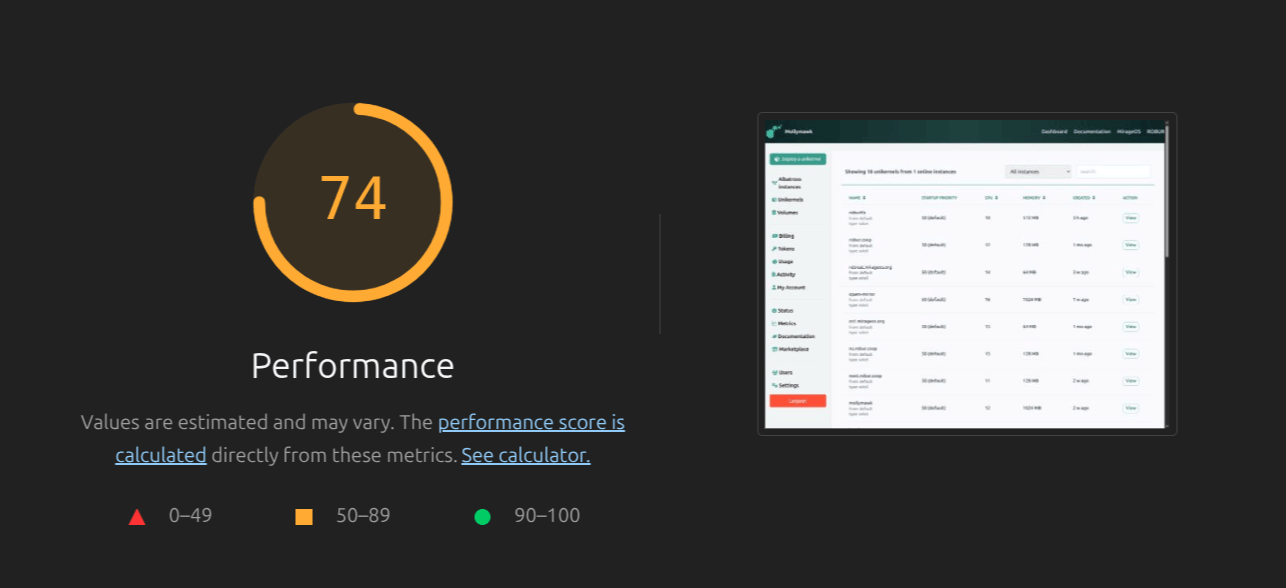
Mollymawk has benefitted greatly from a UI/UX audit by Miroslav Damyanov, from Commons Caretakers. Prior to this audit, mollymawk had a number of usability issues, and had a Chrome Lighthouse score of 74.
After the audit, we've implemented a number of changes to improve the user experience, such as:
-
Clearer Navigation:
- Active Menu Highlighting: You can now easily see which section you are currently in. The active menu item in the sidebar is clearly highlighted.
- Simplified Menus: We addressed confusing menu items (such as the distinction between "Albatross instances" and "Unikernels" on the main page) and removed unused menus and redundant links in the footer. Now, only the working, relevant sidebar menus are displayed.
-
Better Data Tables and Sorting:
- Table Sorting Fixed: We resolved issues where table sorting was purely lexical (e.g., sorting numbers alphabetically rather than numerically). Sorting is now supported across all relevant table columns.
- Contrast for Sorted Columns: To make it immediately obvious how your data is organized, the column currently being used to sort the table now has an increased visual contrast.
-
Improved Empty States & Helpful Context:
- Empty Flow Descriptions: When you don't have any unikernels deployed or block devices created, the dashboard now shows clear descriptions for empty charts and tables, along with strong Call-To-Action (CTA) buttons to guide you on exactly what to do next.
- Clearer Error Messages: When creating unikernels, the form validation has been improved with frontend highlighting and much clearer error messages (for example, ensuring a valid unikernel name).
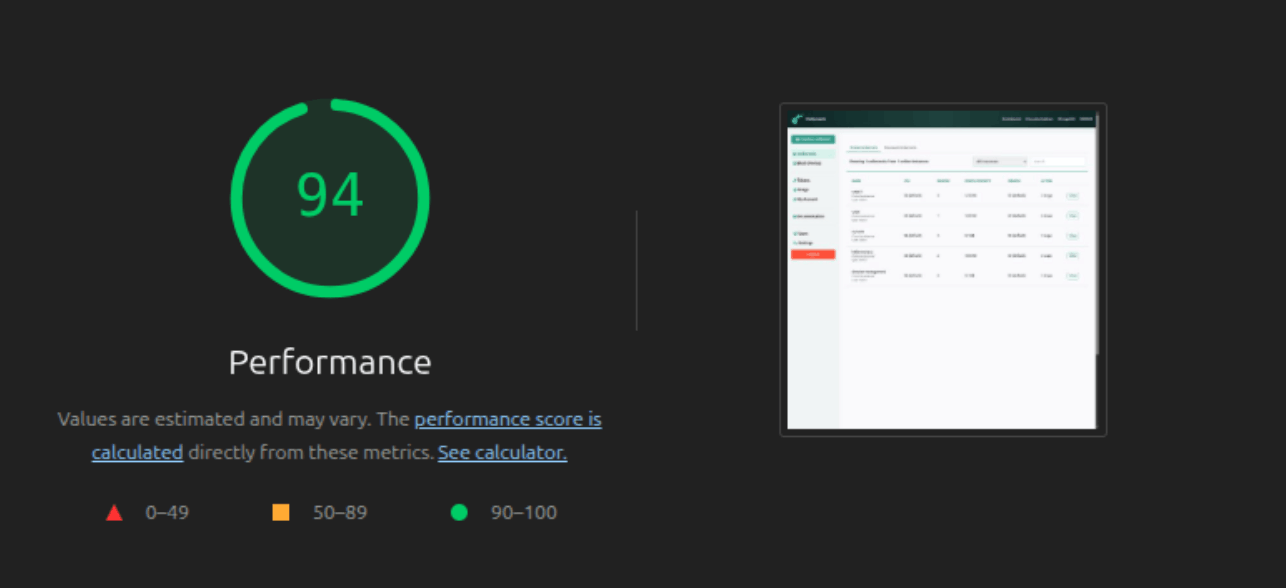
These changes improved Mollymawk's Chrome Lighthouse score from 74 to 94!
Conclusion
Mollymawk is now easier to use and better looking than ever before. We're constantly working on improving it, so stay tuned for more updates!